
We have rolled out a great new feature this week called Survey Grid Questions.
This feature is designed to streamline how you capture feedback across multiple items, all within a single, easy-to-use grid format. Whether you’re collecting product ratings, pricing, availability, etc, across a range of options, Survey Grid Questions make it faster and more intuitive—for both you and your respondents.
🔍 Why You’ll Love It:
Efficient Data Capture: Ask multiple related questions at once—no more repetitive inputs!
Cleaner Surveys: Organize complex feedback into a single, compact layout.
Enhanced Insights: Compare responses across rows and columns for deeper analysis.
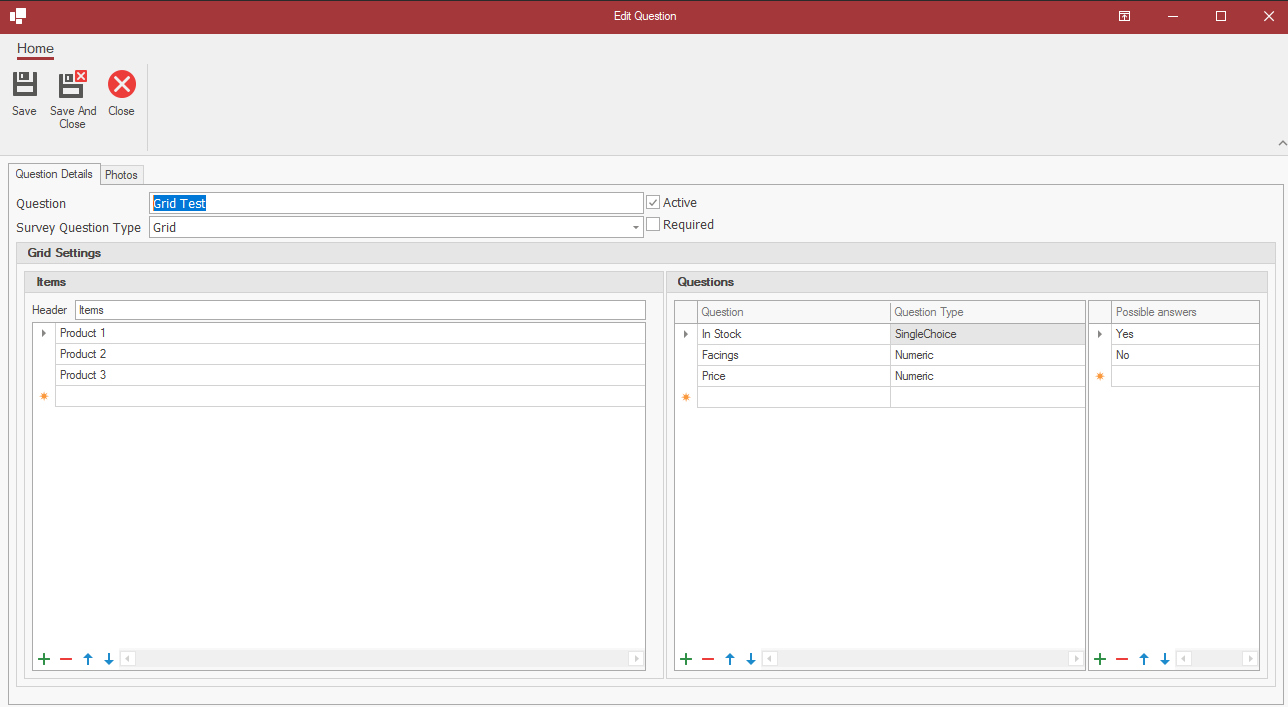
To create a grid question, simply select a Question Type of Grid in the Survey builder in your console.
You’ll be prompted to define the items you’re gathering information on and set the corresponding questions for each.
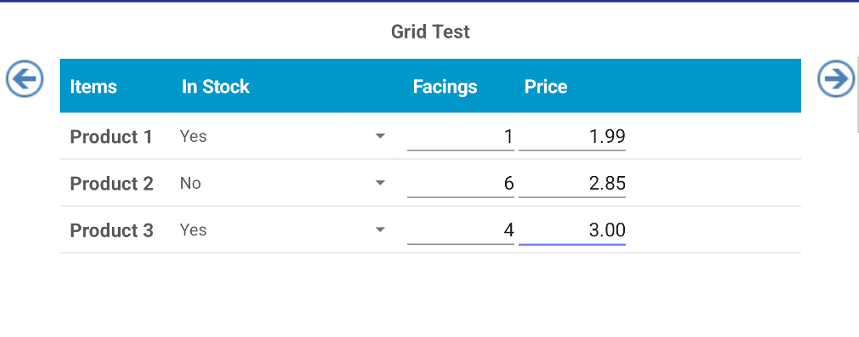
Your IntelliBrand app will then present a table format where each item is matched with its corresponding questions for streamlined input.
All existing Survey rules (default values, mandatory answers etc) can be applied to these new questions.
See more info here:
https://support.wasptech.com/support/solutions/articles/264203-survey-grid-questions
We hope you like these improvements, plenty more on the way!
As always, if you have any suggestions on how to improve IntelliBrand, please email us at info@wasptech.com
Also, we would love a rating for InteliBrand in the Play Store . . click link to rate:
https://play.google.com/store/apps/details?id=com.wasptech.intellidroid&hl=en_IE